Get Whisper Dictation for Mac
AI-powered dictation with 100% local processing. One-time $9.99 - 10 free transcriptions to try.
What is Whisper Dictation?
Whisper Dictation is a native macOS application that lets you type using your voice. It's powered by OpenAI's Whisper, one of the most accurate speech-to-text models ever created - the same AI technology behind ChatGPT's voice features.
Unlike cloud-based dictation services, Whisper Dictation runs entirely on your Mac. Your voice never leaves your computer, making it perfect for sensitive content like legal documents, medical notes, confidential business communications, and personal journals.
Key Highlights
- OpenAI Whisper AI - State-of-the-art speech recognition with 97-99% accuracy
- 100% Local Processing - Your audio never leaves your Mac
- Works Offline - No internet required after initial setup
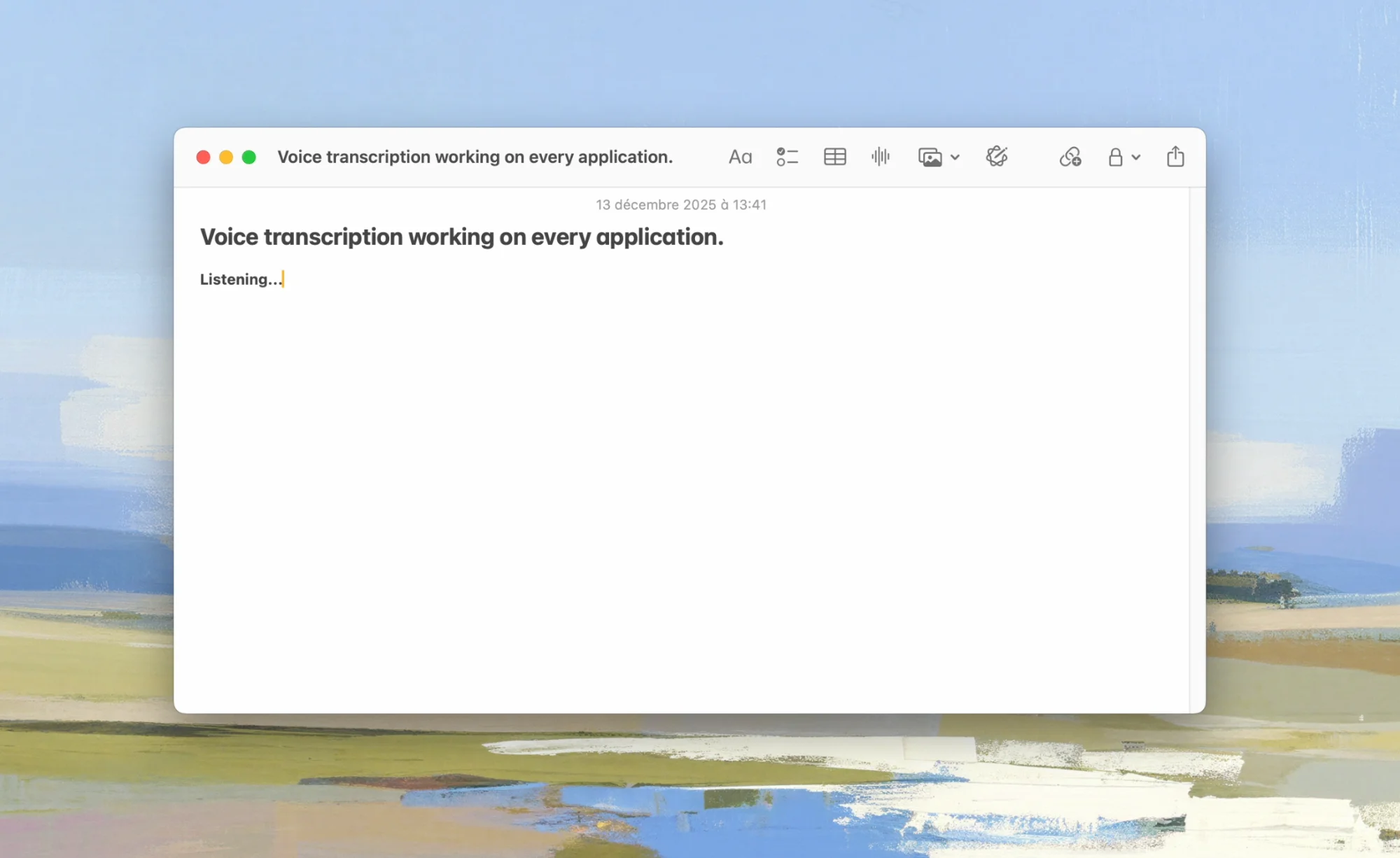
- System-Wide - Dictate into any app on your Mac
- One-Time Purchase - $9.99 personal license, no subscriptions, no per-minute fees
- Apple Silicon Optimized - Native support for M1/M2/M3/M4 chips
Full Feature List
Core Dictation Features
- Real-time voice-to-text - Speak naturally and see your words appear instantly
- System-wide integration - Works in any app: email, documents, browsers, code editors, messaging apps
- Customizable hotkey - Set any keyboard shortcut to start/stop dictation
- Automatic punctuation - AI intelligently adds periods, commas, and question marks
- Paragraph detection - Natural breaks in speech create new paragraphs
- Multiple language support - Dictate in 100+ languages with auto-detection
Privacy & Security
- 100% local processing - All transcription happens on your Mac's CPU/GPU
- No cloud uploads - Your audio is never transmitted anywhere
- No account required - No sign-ups, no data collection
- No analytics - We don't track your usage
- Works offline - Full functionality without internet
Whisper Models
- Tiny - Fastest, good for quick notes
- Base - Balanced speed and accuracy
- Small - Better accuracy, still fast
- Medium - High accuracy for most use cases
- Large - Maximum accuracy for critical work
- Turbo - Best balance (recommended for most users)
macOS Integration
- Menu bar access - Quick access from anywhere
- Native macOS design - Feels like a built-in feature
- Apple Silicon optimized - Uses Metal and Neural Engine for fast processing
- Low memory footprint - Efficient resource usage
- Up to date with current macOS - Supports macOS 14.0 (Sonoma) and later
How It Works
Whisper Dictation uses a fundamentally different approach than traditional dictation software:
Traditional Cloud Dictation
- You speak into your microphone
- Audio is compressed and sent to remote servers
- Servers process your speech (your data is on their systems)
- Text is sent back to your computer
- Total time: 500ms-2000ms depending on network
Whisper Dictation (Local Processing)
- You speak into your microphone
- Audio is processed by Whisper AI on your Mac's processor
- Text appears in your current app
- Total time: Near real-time on Apple Silicon
The key difference: your voice data never leaves your computer. There's no network latency, no privacy concerns, and no dependency on external services. If you're curious about the underlying technology, we also have a guide on how to run Whisper on your Mac locally, including the DIY Python route.
The Technology
Whisper Dictation uses OpenAI's Whisper model, which was trained on 680,000 hours of multilingual audio data. This massive training dataset means Whisper:
- Understands accents from around the world
- Handles technical vocabulary accurately
- Works well with background noise
- Correctly punctuates most sentences
- Recognizes 100+ languages automatically
Setup Guide
Getting started with Whisper Dictation takes about 2 minutes:
Step 1: Download
Download Whisper Dictation from Gumroad. The free trial includes 10 transcriptions; you'll receive a .dmg file.
Step 2: Install
- Open the downloaded .dmg file
- Drag Whisper Dictation to your Applications folder
- Eject the disk image
- Open Whisper Dictation from Applications
Step 3: Grant Permissions
On first launch, macOS will ask for two permissions:
Microphone Access:
- Click "Allow" when prompted, or
- Go to System Settings → Privacy & Security → Microphone
- Enable Whisper Dictation
Accessibility Access:
- Go to System Settings → Privacy & Security → Accessibility
- Click the lock to make changes
- Add Whisper Dictation and enable it
This permission allows the app to type text into any application.
Step 4: Choose Your Model
Select a Whisper model based on your needs:
- Turbo (Recommended) - Best balance of speed and accuracy for most users (~1.5GB download)
- Small - Faster processing, good for quick notes
- Large - Maximum accuracy for important work
The model downloads once and is stored locally.
Step 5: Set Your Hotkey
Configure your preferred keyboard shortcut to start/stop dictation. Popular choices:
Fn + Fn(double-press Function key)Option + SpaceControl + D- Custom combination of your choice
Ready to Get Started?
Download Whisper Dictation and start dictating in minutes. 10 free transcriptions, 7-day money-back guarantee.
Download Whisper DictationHow to Use Dictation
Basic Dictation
- Click in any text field where you want to type
- Press your dictation hotkey to start recording
- Speak naturally at a conversational pace
- Press the hotkey again to stop and insert text
Tips for Natural Dictation
- Speak in complete sentences - The AI understands context better
- Pause briefly for punctuation - Natural pauses help the AI add periods
- Don't worry about "umms" - Whisper filters out most filler words
- Speak technical terms clearly - Whisper handles jargon well but clarity helps
Use Cases
Email & Communication:
Dictate emails, Slack messages, and replies much faster than typing. Perfect for long responses that would be tedious to type.
Writing & Documentation:
Writers, journalists, and content creators can capture ideas at the speed of thought. Great for first drafts, outlines, and brainstorming.
Coding & Technical Work:
Dictate comments, documentation, commit messages, and prompts for AI coding tools - see our guide to voice dictation for coding. Useful for developers with RSI concerns.
Note-Taking:
Capture meeting notes, lecture content, or research observations hands-free. Ideal for situations where typing isn't convenient.
Accessibility:
Essential tool for users with mobility limitations, RSI, or conditions that make typing difficult.
Whisper Models Explained
Whisper Dictation offers multiple AI models with different speed/accuracy tradeoffs:
| Model | Size | RAM Needed | Speed | Accuracy | Best For |
|---|---|---|---|---|---|
| Tiny | 75 MB | ~1 GB | Fastest | Basic | Quick notes, low-power devices |
| Base | 142 MB | ~1 GB | Very fast | Basic | Casual use |
| Small | 466 MB | ~2 GB | Fast | Good | Good balance |
| Medium | 1.5 GB | ~5 GB | Moderate | High | Professional use |
| Turbo | 1.5 GB | ~6 GB | Fast | Highest | Recommended for most |
| Large | 3 GB | ~10 GB | Slower | Highest | Maximum accuracy |
Model Recommendations
- 8GB RAM Mac: Use Small or Turbo model
- 16GB RAM Mac: Use Turbo (best balance) or Large for critical work
- 24GB+ RAM Mac: Use Large model for maximum accuracy
Our recommendation: Start with the Turbo model (~1.5GB). It offers excellent accuracy (close to Large) while being significantly faster. Switch to Large only if you need the absolute best accuracy for critical transcriptions.
Tips for Best Results
Microphone Setup
- Use a decent microphone - Built-in Mac mics work, but external mics improve accuracy
- Position correctly - 6-12 inches from your mouth is ideal
- Minimize background noise - Close windows, turn off fans if possible
- Check input levels - Go to System Settings → Sound → Input and verify levels
Speaking Technique
- Speak at normal pace - Don't rush, but don't over-enunciate either
- Complete your thoughts - Full sentences transcribe better than fragments
- Pause naturally - Brief pauses help the AI understand sentence boundaries
- Spell unusual words - For unusual names, try spelling them out
Performance Tips
- Close unnecessary apps - More available RAM helps larger models
- Keep Mac plugged in - Performance throttles on battery
- Use Apple Silicon - M1/M2/M3/M4 Macs are significantly faster than Intel
Comparison with Alternatives
| Feature | Whisper Dictation | Apple Dictation | Cloud Services |
|---|---|---|---|
| Accuracy | 97-99% | ~89% | 90-95% |
| Privacy | ✅ 100% local | ⚠️ Cloud option | ❌ Cloud only |
| Offline | ✅ Full | ⚠️ Limited | ❌ No |
| Timeout | ✅ None | ❌ 30-60 sec | Varies |
| Technical vocab | ✅ Excellent | ⚠️ Limited | ✅ Good |
| Price | One-time $9.99 | Free | Subscription |
For a detailed comparison, see our guide to the best dictation software for Mac, or the head-to-head SuperWhisper alternative comparison.
System Requirements
Requirements
- macOS: Sonoma (14.0) or later
- RAM: 8 GB (for Small/Turbo models)
- Storage: 2-4 GB for app and models (~1.5GB for the recommended Turbo model)
- Processor: Apple Silicon recommended; Intel supported
Recommended
- macOS: Latest macOS version
- RAM: 16 GB or more
- Processor: Apple Silicon (M1/M2/M3/M4)
Performance by Mac
- M1/M2 MacBook Air: Excellent with Turbo model
- M1/M2/M3 Pro MacBook Pro: Excellent with any model
- M3/M4 Max: Can run Large model in near real-time
- Intel Mac: Works but significantly slower; use Small model
Frequently Asked Questions
Is Whisper Dictation really 100% private?
Yes. All speech processing happens locally on your Mac using the Whisper AI model. Your audio is never transmitted to any server, never stored anywhere except temporarily in memory during processing, and is discarded immediately after transcription. There's no account, no analytics, no way for anyone (including us) to access your dictations.
How does Whisper Dictation compare to MacWhisper?
Both apps use OpenAI's Whisper model, but they have different focuses. Whisper Dictation is optimized for real-time dictation - speaking and having text appear in any app. It's lighter weight and focused on the core dictation use case. MacWhisper is more focused on file transcription with additional features like batch processing and meeting recording.
Does it work without internet?
Yes, fully. After the initial setup (downloading the app and the ~1.5GB Whisper model), Whisper Dictation works completely offline. You can dictate on airplanes, in remote areas, or anywhere without WiFi.
What languages are supported?
Whisper supports 100+ languages including English, Spanish, French, German, Italian, Portuguese, Chinese, Japanese, Korean, Arabic, Hindi, and many more. The app can auto-detect the language or you can specify it for better accuracy.
Is there a subscription?
No. Whisper Dictation is a one-time purchase: $9.99 for a personal license or $45 for a 5-seat team license, including all future updates. A free trial with 10 transcriptions is available. No subscriptions, no per-minute fees, no usage limits once licensed.
Does it work on Intel Macs?
Yes, Whisper Dictation works on Intel Macs running macOS 14.0 (Sonoma) or later. However, performance is significantly better on Apple Silicon (M1/M2/M3/M4) Macs. Intel users should use smaller models (Tiny, Base, Small) for reasonable performance.
Can I dictate into any app?
Yes. Whisper Dictation works system-wide - anywhere you can type, you can dictate. This includes email apps, web browsers, word processors, code editors, messaging apps, and more.
What if I'm not satisfied?
Whisper Dictation comes with a 7-day money-back guarantee. If it doesn't meet your needs, contact us for a full refund.
Get Started with Whisper Dictation
Whisper Dictation is a simple, private, offline dictation app for Mac that brings the power of OpenAI's Whisper AI to your desktop. Whether you're a writer, developer, professional, or anyone who types a lot, voice dictation can transform your productivity.
Key benefits:
- ✅ 97-99% accuracy with Whisper AI
- ✅ 100% local - complete privacy
- ✅ Works offline - no internet needed
- ✅ System-wide - dictate into any app
- ✅ One-time $9.99 - no subscription
- ✅ 10 free transcriptions + 7-day money-back guarantee
Ready to Type at the Speed of Thought?
Download Whisper Dictation and experience AI-powered voice-to-text with complete privacy.
Get Whisper Dictation